

- Home›
- Security Privacy
Protect your privacy online with EarthLink security tools
When it comes to finding the right internet service provider for you, the connection is only half of the equation. Staying safe online and protecting your information, data, and family is on today's internet.

EarthLink Secure is a comprehensive suite of online security and support solutions:
- No contracts
- 30-day free trial*
- Online privacy, device and identify theft protection
- Parental control and monitoring
- Remote technical support
- Private, secure cloud storage



Explore the best online privacy services for free*
From cyber safety, parental control, remote technical support, and online data backups, we’ve got you covered. Best of all, when you’re an EarthLink customer, you can try any of our privacy and security tools for free with a 30-day trial.*
EarthLink Cyber Safety
Get real-time protection antivirus protection, secure VPNs, credit alerts, parental controls, identity theft insurance with our security suite services, powered by Norton.

EarthLink EasyTech
Whatever digital doodads you have at home or the office, EasyTech is the solution to your smart device problems. No matter the issue, our product experts will walk you through it.

EarthLink Online Backup
Automatically backup and sync your files, pictures, videos, documents, and more across multiple devices. Choose the amount of storage you need and get gigs of backup data instantly.
Get secure without contracts. Add, upgrade, or change your services any time.
Cybercrime is here to stay. Are you prepared?
As we transition more of our lives, work, and communication online, cybercrime becomes a guaranteed part of the future on the web. While these crimes and theft cannot be avoided completely, having security and protection in place is a crucial step toward being prepared and staying safer online.
47%
of adults in the U.S. have had personal information exposed by cyber criminals1
1 in 3
homes with computers in the U.S. are infected with malicious software1
600k
Facebook accounts are hacked every day1
$8 trillion
is the cost cybercrime is expected to reach in 20232
Already connected with EarthLink?
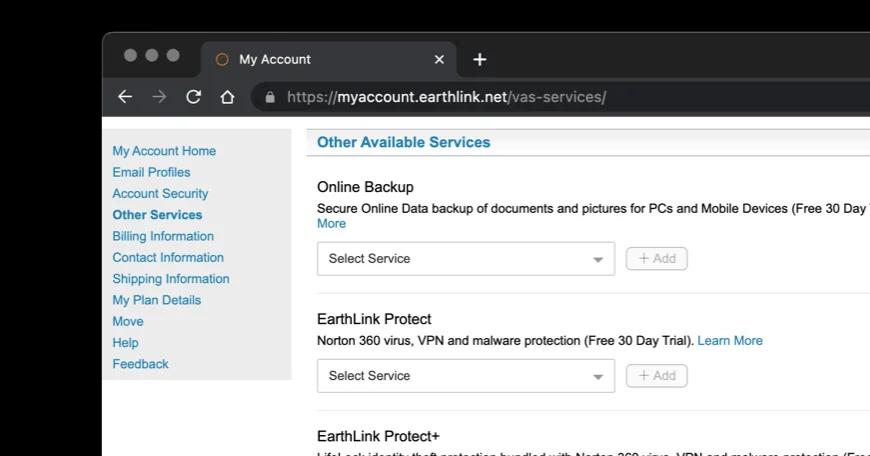
Adding services to your EarthLink account is easy. Manage and select new tools to keep you safe, plugged in, and ahead of the curve.
Go to MyAccount
Read more about cybersecurity
Need tips for staying safer online? Check out our blogs on cybersecurity to help you answer a range of questions about protecting yourself in the digital age.
What should you do if your information is leaked in a data breach? How can you create strong passwords and keep track of them in a password manager? What should you look for in a web browser, and what is private browsing? How can you share moments but keep your privacy on social media? Is public Wi-Fi safe, and how can you hide your IP address?
You’ve got questions. We’ve got answers.

References:
- Cybersecurity and Infrastructure Security Agency, via cisa.gov 02/24/2023
- “Top 50 Cybersecurity Statistics, Figures and Facts,” via CompTIA 01/27/2023
- “34 cybersecurity statistics to lose sleep over in 2023,” viaTechtarget.com 01/26/2023
- “Why Gen Z doesn’t care about cybersecurity,” via Cybersafe.com 11/22/2022